
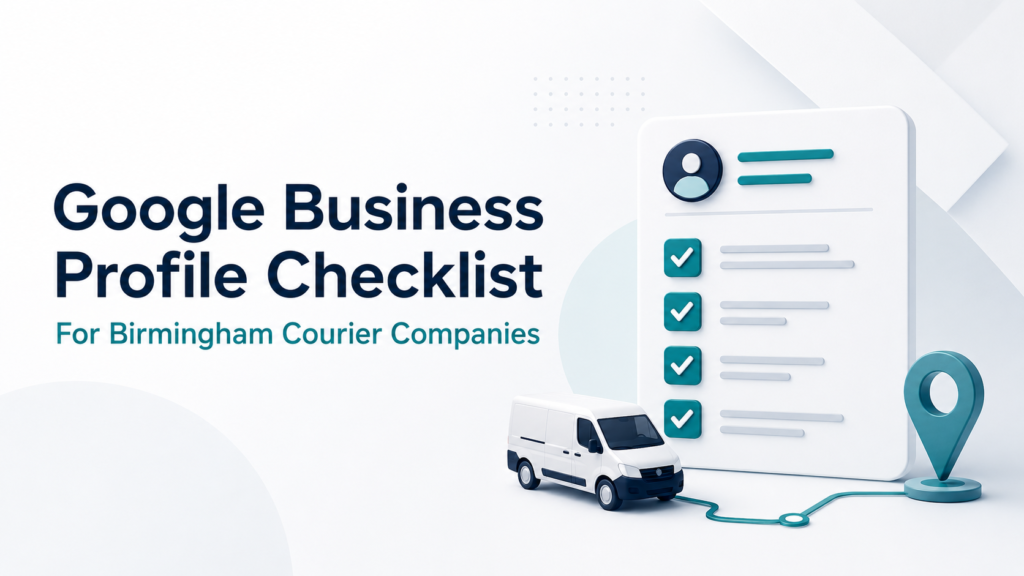
Google Business Profile Checklist for Birmingham Courier Companies
A poorly configured Google Business Profile can make it difficult for customers to understand what a courier company offers, where it operates and how to request a collection. For a Birmingham courier business, completing the profile involves more than adding a company name, telephone number and several service areas. The business must first qualify for a profile, represent its real operating model and provide information that agrees with its website and customer experience. This checklist explains how to create, verify, complete and maintain a Google Business Profile for a courier company in Birmingham without using fake addresses, duplicate listings or keyword-stuffed information. It does not guarantee a particular Maps position. For a deeper explanation of the ranking factors, read how Birmingham courier companies can rank higher on Google Maps. 1. Confirm That the Courier Business Is Eligible Google Business Profiles are intended for businesses that interact with customers in person. A courier company can normally qualify when it collects from customers, delivers directly to them or serves customers at an eligible business location. A business that operates entirely online without in-person customer contact is not eligible simply because it has a website or registered company address. Before creating anything, decide which operating model accurately describes the courier business. Business model Correct profile setup Customers do not visit the base; drivers collect from customer locations Service-area business Customers can visit a staffed, signed location during stated hours Storefront business Customers can visit the location and the company also collects from them Hybrid business The address is only a mailbox, registered office or virtual office Not an eligible customer-facing location Google requires businesses to use an accurate address or service area and generally allows only one profile per genuine business location. Virtual offices and remote mailboxes cannot be presented as operational branches. Google’s Business Profile guidelines explain these eligibility requirements. Eligibility Checklist ✓ The courier deals with customers in person. ✓ The company operates from a genuine business base. ✓ Any publicly displayed address is staffed and customer-facing. ✓ The business name can be supported by real-world documentation or branding. ✓ Each listed location represents a genuine separate operation. ✓ No profile has been created solely to target another Birmingham postcode. Important: If these conditions cannot be met, creating a profile first and worrying about verification later is the wrong sequence. 2. Search for an Existing Profile Before Creating One Search Google and Google Maps for the company name, telephone number and business location before adding a new profile. Google may already have created an unclaimed listing from information available online. A former employee or marketing supplier may also have created one previously. If an accurate profile already exists, claim or request access to it. Do not create another listing to avoid dealing with the ownership issue. Duplicate profiles can divide information, confuse customers and create management problems. Google provides separate processes to add or claim a Business Profile and request ownership of an existing profile. Ownership Checklist ✓ The courier company controls the primary-owner account. ✓ The primary account uses a secure, long-term company email where practical. ✓ Agencies and employees receive their own manager access. ✓ Passwords are not shared between the owner, staff and suppliers. ✓ Former employees and previous agencies no longer have unnecessary access. ✓ Recovery information and two-step verification are current. Google allows owners to invite managers without sharing login credentials. Managers can perform routine work such as editing information, replying to reviews and publishing updates. The company should still retain primary ownership. Google’s access guidance explains the available roles. 3. Prepare Properly for Verification Google decides which verification methods are available for a particular profile. A courier company may be asked to verify through video, telephone, email or another method offered by Google. Do not repeatedly change the business name, category, address or other core information during verification. Major changes can create inconsistencies and may lead to further checks. For video verification, Google may require evidence of: The real operating location Nearby street signs or building information The business name Courier equipment or vehicles Business documents matching the profile Access to business-only areas or assets Proof that the person recording manages the business For a service-area courier, useful evidence could include access to a branded vehicle, dispatch equipment, invoices, business documents or operational materials. Sensitive customer and personal information should not be exposed. Google’s video-verification instructions specifically cover service-area businesses and the evidence they may need to show. Verification confirms management of the business. It does not guarantee strong rankings or protect inaccurate information from later review. 4. Complete the Core Business Information Accurately Once the profile is claimed and verified, complete each available field using real business information. Use the genuine business name Enter the name used consistently on the company’s website, vehicles, invoices, stationery and other real-world branding. For example, do not change: Midland Express Couriers into: Midland Express Couriers – Same Day Courier Birmingham 24/7 unless the longer version is genuinely the established real-world business name. Google prohibits unnecessary services, locations, telephone numbers, promotional language and other additions in the name field. Keyword stuffing can result in edits, loss of visibility or profile suspension. Select the most accurate primary category Choose the most specific category available in the live profile that describes what the business fundamentally is. The category should complete this sentence: This business is a ______. It should not attempt to list everything the business offers. Google currently allows one primary category and additional categories where they represent genuine parts of the business. However, that is not a reason to use every remotely relevant option. Google recommends using as few categories as necessary to describe the core operation. Its Business Profile category guidance should be checked because category availability can change. Add genuine courier services Use the services editor to represent the work customers can actually request. Depending on the operation, these might include: Same-day courier service Urgent document delivery Business-to-business delivery Scheduled collections Parcel delivery Pallet delivery Dedicated