A poorly configured Google Business Profile can make it difficult for customers to understand what a courier company offers, where it operates and how to request a collection.
For a Birmingham courier business, completing the profile involves more than adding a company name, telephone number and several service areas. The business must first qualify for a profile, represent its real operating model and provide information that agrees with its website and customer experience.
This checklist explains how to create, verify, complete and maintain a Google Business Profile for a courier company in Birmingham without using fake addresses, duplicate listings or keyword-stuffed information.
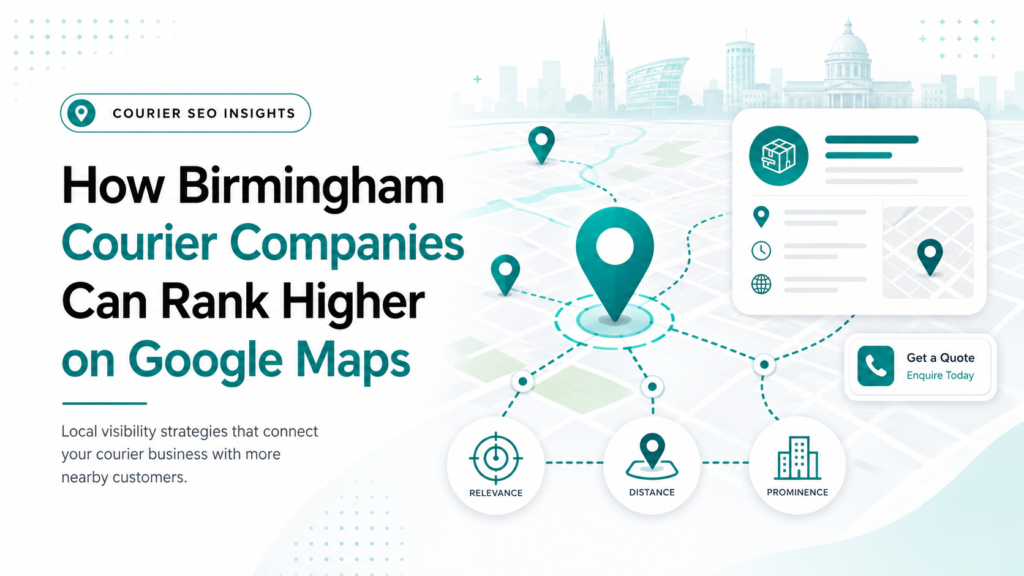
It does not guarantee a particular Maps position. For a deeper explanation of the ranking factors, read how Birmingham courier companies can rank higher on Google Maps.
1. Confirm That the Courier Business Is Eligible
Google Business Profiles are intended for businesses that interact with customers in person. A courier company can normally qualify when it collects from customers, delivers directly to them or serves customers at an eligible business location.
A business that operates entirely online without in-person customer contact is not eligible simply because it has a website or registered company address.
Before creating anything, decide which operating model accurately describes the courier business.
| Business model | Correct profile setup |
|---|---|
| Customers do not visit the base; drivers collect from customer locations | Service-area business |
| Customers can visit a staffed, signed location during stated hours | Storefront business |
| Customers can visit the location and the company also collects from them | Hybrid business |
| The address is only a mailbox, registered office or virtual office | Not an eligible customer-facing location |
Eligibility Checklist
- ✓ The courier deals with customers in person.
- ✓ The company operates from a genuine business base.
- ✓ Any publicly displayed address is staffed and customer-facing.
- ✓ The business name can be supported by real-world documentation or branding.
- ✓ Each listed location represents a genuine separate operation.
- ✓ No profile has been created solely to target another Birmingham postcode.
2. Search for an Existing Profile Before Creating One
Search Google and Google Maps for the company name, telephone number and business location before adding a new profile.
Google may already have created an unclaimed listing from information available online. A former employee or marketing supplier may also have created one previously.
If an accurate profile already exists, claim or request access to it. Do not create another listing to avoid dealing with the ownership issue. Duplicate profiles can divide information, confuse customers and create management problems.
Google provides separate processes to add or claim a Business Profile and request ownership of an existing profile.
Ownership Checklist
- ✓ The courier company controls the primary-owner account.
- ✓ The primary account uses a secure, long-term company email where practical.
- ✓ Agencies and employees receive their own manager access.
- ✓ Passwords are not shared between the owner, staff and suppliers.
- ✓ Former employees and previous agencies no longer have unnecessary access.
- ✓ Recovery information and two-step verification are current.
3. Prepare Properly for Verification
Google decides which verification methods are available for a particular profile. A courier company may be asked to verify through video, telephone, email or another method offered by Google.
Do not repeatedly change the business name, category, address or other core information during verification. Major changes can create inconsistencies and may lead to further checks.
For video verification, Google may require evidence of:
- The real operating location
- Nearby street signs or building information
- The business name
- Courier equipment or vehicles
- Business documents matching the profile
- Access to business-only areas or assets
- Proof that the person recording manages the business
For a service-area courier, useful evidence could include access to a branded vehicle, dispatch equipment, invoices, business documents or operational materials. Sensitive customer and personal information should not be exposed.
Google’s video-verification instructions specifically cover service-area businesses and the evidence they may need to show.
Verification confirms management of the business. It does not guarantee strong rankings or protect inaccurate information from later review.
4. Complete the Core Business Information Accurately
Once the profile is claimed and verified, complete each available field using real business information.
Use the genuine business name
Enter the name used consistently on the company’s website, vehicles, invoices, stationery and other real-world branding.
For example, do not change:
Midland Express Couriers
into:
Midland Express Couriers – Same Day Courier Birmingham 24/7
unless the longer version is genuinely the established real-world business name.
Google prohibits unnecessary services, locations, telephone numbers, promotional language and other additions in the name field. Keyword stuffing can result in edits, loss of visibility or profile suspension.
Select the most accurate primary category
Choose the most specific category available in the live profile that describes what the business fundamentally is.
The category should complete this sentence:
This business is a ______.
It should not attempt to list everything the business offers.
Google currently allows one primary category and additional categories where they represent genuine parts of the business. However, that is not a reason to use every remotely relevant option.
Google recommends using as few categories as necessary to describe the core operation. Its Business Profile category guidance should be checked because category availability can change.
Add genuine courier services
Use the services editor to represent the work customers can actually request. Depending on the operation, these might include:
- Same-day courier service
- Urgent document delivery
- Business-to-business delivery
- Scheduled collections
- Parcel delivery
- Pallet delivery
- Dedicated vehicle delivery
- Medical-related courier work, where genuinely provided
Do not add specialist services merely because they have valuable keywords.
Google allows businesses to select available services and create custom services where appropriate. Prices and short descriptions can also be added to supported service entries. Google’s services guidance explains the current controls.
Write a useful business description
The description should explain:
- What the courier company does
- Who it serves
- Its genuine operating coverage
- Important service types
- Relevant operating experience
- How its service differs in practical terms
Google currently permits descriptions of up to 750 characters. URLs, HTML, promotions, prices and sales-led claims should not be placed in this field. Google’s profile-editing guidance confirms these restrictions.
The description is not a place to repeat “Birmingham courier company” ten times. Write it for a customer deciding whether the company can handle the job.
5. Configure the Address and Service Areas Correctly
Many courier companies operate as service-area businesses because drivers collect from and deliver to customers rather than serving them at the company base.
If customers cannot visit the address during stated hours, hide it from the public profile and use genuine service areas instead.
If customers can visit, the location must be a real, staffed operation with appropriate signage. A Companies House address, mailbox or virtual office does not automatically qualify as a customer-facing location.
Google currently permits up to 20 service areas based on supported cities, postcodes and other geographic areas. Its guidelines also advise that a service area should generally remain reasonably connected to the business base. Google’s service-area instructions provide the current limits.
Birmingham service-area checklist
- Add Birmingham only if the company genuinely collects from or delivers to customers there.
- Include neighbouring areas only where regular operational coverage exists.
- Remove locations the business no longer serves.
- Do not enter every West Midlands postcode as a visibility tactic.
- Do not create a separate profile for every service area.
- Do not display a residential or operational address if customers are not served there.
Adding more service areas does not create stronger rankings in those locations. Read why a courier company can rank differently across Birmingham even when its genuine service coverage is wider.
6. Connect the Profile to a Working Enquiry Journey
A complete profile is useless if customers cannot quickly reach the courier or request a quote.
Use a reliable telephone number
Use a number controlled by the business that customers can reliably reach. Google recommends using a direct local number instead of a central call-centre number where possible.
Check that:
- The number is correct.
- Calls are answered during the stated availability.
- Missed calls receive a defined follow-up.
- The number does not redirect customers to an unrelated business.
- Call handling reflects urgent courier intent.
Link to a relevant website destination
The website should represent the same business and services shown on the profile.
The destination must:
- Load properly on mobile.
- Explain the courier services.
- Confirm genuine operating coverage.
- Provide a visible call or quote route.
- Use working forms and buttons.
- Avoid misleading redirects.
The profile and website should agree on the company name, telephone number, services, operating model and service coverage.
For the wider website, content and local-search structure, read how Birmingham courier companies can improve their Google visibility.
Add accurate hours and availability
Only state operating hours the business can genuinely support.
Do not claim “Open 24 hours” because urgent courier searches are valuable if nobody answers calls overnight. If service availability and office-support hours differ, explain the distinction clearly on the website and use the most appropriate fields available for the profile category.
Use only monitored contact features
Google may make social-profile links, WhatsApp, text messaging or other contact features available depending on the region, category and account.
Use only the features visible in the live profile and actively monitored by the business.
An abandoned communication channel creates a worse customer experience than not offering it.
7. Add Real Business Evidence
Useful courier imagery can include:
- Branded vehicles
- Drivers or operational staff
- Real premises
- Dispatch or collection activity
- Secure handling equipment
- Different vehicle capacities
- Genuine delivery work where customer privacy is protected
Avoid stock vans, fake Birmingham landmarks, artificial depots and heavily altered images that misrepresent the operation.
Google recommends clear, business-specific photos that help customers understand the company. Its Business Profile photo guidance provides the current recommendations.
A practical starting image set could contain:
- A clear company logo
- A representative cover image
- Vehicle exterior images
- Vehicle-loading or capacity images
- Team or driver images
- Operational workspace images
- Genuine collection or delivery activity
- Customer-facing premises, where applicable
The purpose of these photos is not to manufacture local proof. It is to make the real courier operation easier to recognise and trust.
8. Build a Genuine Review Process
Ask real customers for honest feedback after completed work. Do not buy reviews, use staff accounts or provide customers with keyword-loaded review scripts.
A courier review process could follow this sequence:
- Confirm the delivery has been completed.
- Resolve any active problem first.
- Send the official Google review link.
- Allow the customer to describe the experience naturally.
- Respond professionally to the published review.
Useful feedback may naturally discuss collection speed, communication, reliability or the handling of urgent work. The business does not need to dictate those words.
Reviews should be answered consistently. A response should acknowledge the customer’s experience without exposing delivery details, addresses, names or other confidential information.
Negative reviews should not automatically receive a defensive reply. First establish what happened, whether the reviewer was a genuine customer and whether the matter can be resolved.
9. Publish Useful Profile Updates
Google Business Profile posts can currently include updates, offers and events, depending on profile eligibility. Updates can include text, an image or video and an action button. Google’s post guidance explains the available formats.
Courier updates should communicate something useful, such as:
- A genuine service explanation
- Operating changes
- Holiday availability
- New vehicle capacity
- A customer-use scenario
- A legitimate offer with clear conditions
- Guidance on requesting an urgent collection
Posting weak promotional graphics every few days will not repair inaccurate business information or a broken quote journey.
Profile activity should support the customer journey. It should not become a substitute for accurate core information, genuine reviews or useful website pages.
Audit Your Courier Google Business Profile
Use our printable and fillable 19-point checklist to review your profile’s eligibility, ownership, services, service areas, customer information and performance tracking.
Measure Enquiries, Not Profile Completion
A profile should not be judged by a completion score alone.
Google’s performance reporting can show applicable information such as searches, views, call-button clicks, website clicks and other profile interactions. Not every metric is available to every business. Google’s Business Profile performance documentation explains the current metrics.
The more useful commercial journey is:
Profile discovery → call or website visit → completed quote request → qualified courier enquiry → booked job
Review the profile monthly and after any important business change. Check ownership, contact details, hours, services, customer-submitted information, reviews, images and website links.
A completed checklist establishes a credible foundation. It does not replace the website, reviews, local authority or other factors that influence visibility.
Build a Profile That Represents the Real Courier Business
The strongest Google Business Profile is not the one containing the most locations, categories or keywords.
It is the one that accurately represents how the courier operates, explains its genuine services and gives customers a reliable path from local discovery to a quote or booking.
Insight Crafts Marketing can review the profile, website, local visibility and enquiry journey to identify what should be corrected first.
Frequently Asked Questions
Does a Birmingham courier company need an office to create a Google Business Profile?
No. A courier company that collects from or delivers to customers can qualify as a service-area business without displaying a customer-facing office. It still needs a genuine operating base and may need to provide private address information during verification. A virtual office cannot be presented as an operational branch.
Can a courier company use a home address?
A home-based courier may be eligible if it genuinely interacts with customers in person. If customers are not served at the home address, the address should be hidden and the profile configured as a service-area business. The address may still be required privately for verification.
What category should a courier company select?
Choose the most specific category currently available that accurately describes the company’s core operation. Category lists can change, so confirm the available options inside the live profile. Do not add unrelated categories merely to target more searches.
Should every courier service be added as a category?
No. Categories describe what the business is, while the services section explains what it offers. Same-day, document, pallet and scheduled delivery options should normally be represented as services when they are genuinely available, not forced into unrelated business categories.
Can one courier company create separate profiles for different Birmingham areas?
Not simply because it covers those areas. Separate profiles require genuinely distinct, eligible operating locations with separate staff and service areas. Virtual offices, mailboxes and profiles created only for postcode coverage do not qualify.
Will completing every profile field guarantee better rankings?
No. Accurate and complete information supports relevance and customer confidence, but Google also considers distance and prominence in local results. Competition and the searcher’s location can still affect where the courier appears.
How often should the profile be reviewed?
Review it at least monthly and whenever services, hours, telephone numbers, operating areas or website routes change. Urgent edits should be made immediately. Ownership, public changes, customer photos, reviews and broken links should also be monitored.